
WPDockerize: WordPress with Docker, made simple
wpdockerize is an npm package for creating a Docker stack for WordPress
Motivation
Every time we start working with WordPress, the choice for the stack to run this beloved CMS on falls on Docker: there are a couple of ways to run it, but the most convenient for completeness is using docker compose and building the whole stack with WordPress, MySQL, PHP, mail, etc.
Writing that docker-compose.yml by hand every time is repetitive though, so I built an NPM package that handles it for us: wpdockerize.
wpdockerize
You’ll find it here: https://www.npmjs.com/package/wpdockerize
Installing wpdockerize
Installation is very simple, just run
npm install -g wpdockerize
and the package is then available globally. Obviously we need NPM (and thus Node.js) installed as a requirement.
Running wpdockerize
To launch it just run
wpdockerize
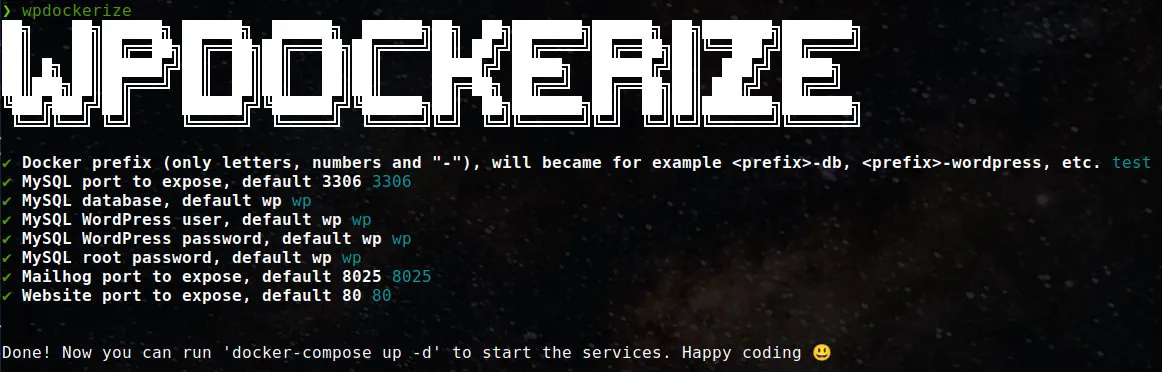
and after a series of simple questions your docker-compose.yml will be ready. All you need to do then is run
docker-compose up -d
to start your WordPress with the desired configuration.
ℹ️ Small note
depending on your system you might need to use docker compose instead of docker-compose
Once the stack is up, if you also need a handy way to manage the containers from a web interface, I’ve also written a guide on how to update Portainer.
Have fun! 😃

Co-Founder & CTO at PAPION. Senior software engineer with AI skills: React, TypeScript, Node.js, LLM and AI agent integration, and application security.